 Cataloc
Find anything at home
Photograph a shelf. Name what is on it. Put a crate on that shelf and a box in the crate, as deep as reality goes. When you need the tent, search finds it and gives you the whole path — Garage → Steel shelving → Crate 1 — so you know where to walk.
iPhone, iPad, iPhone Duo and Android. Free for one household and 200 things.
A look around
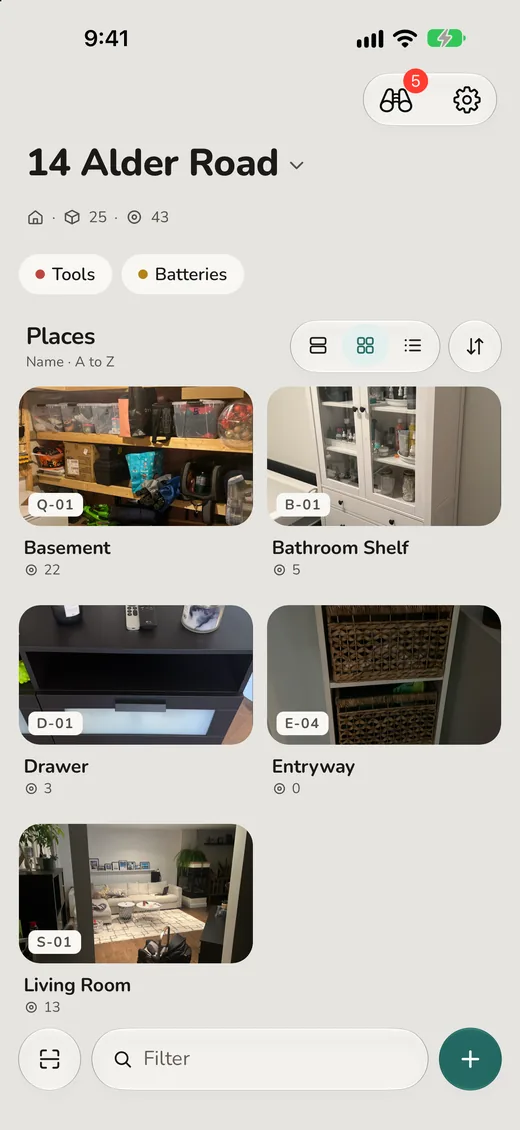
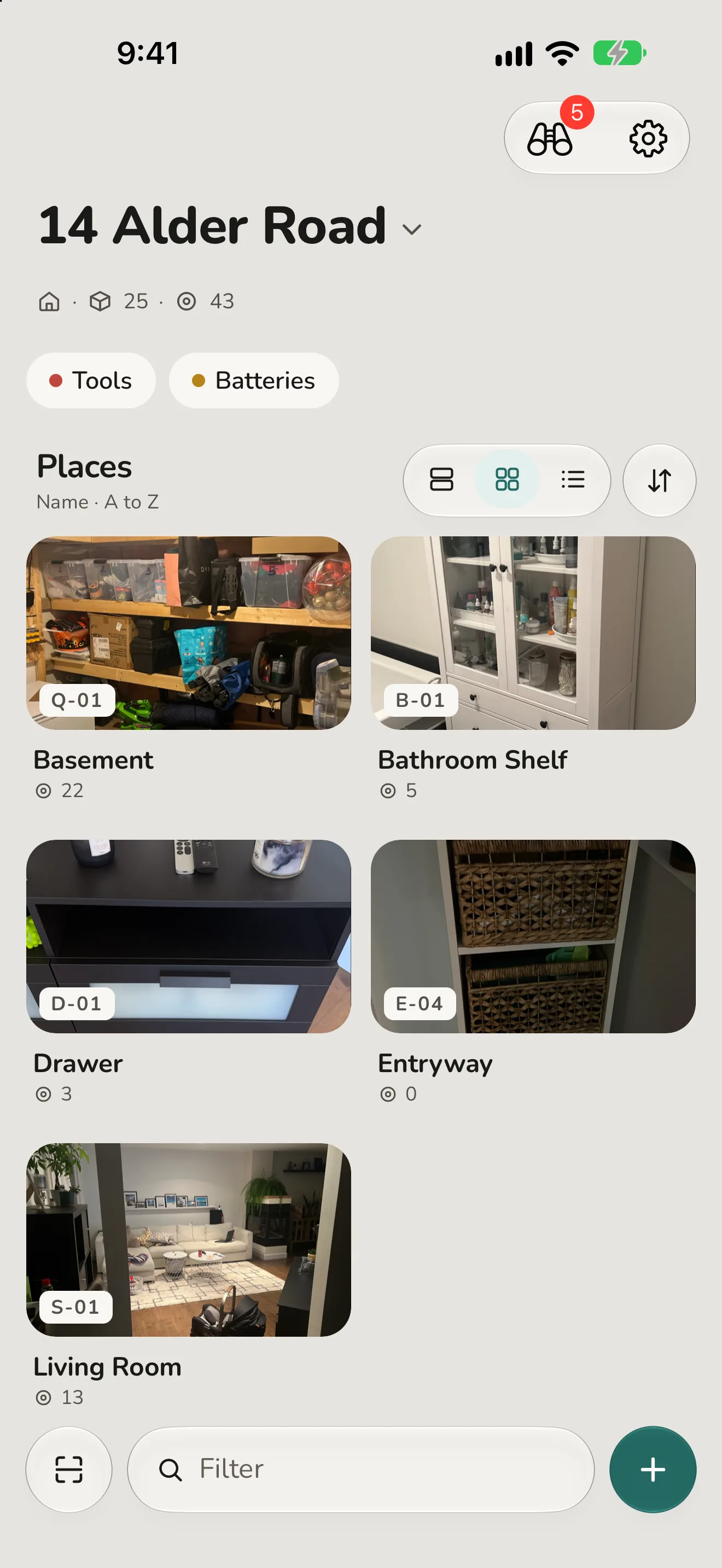
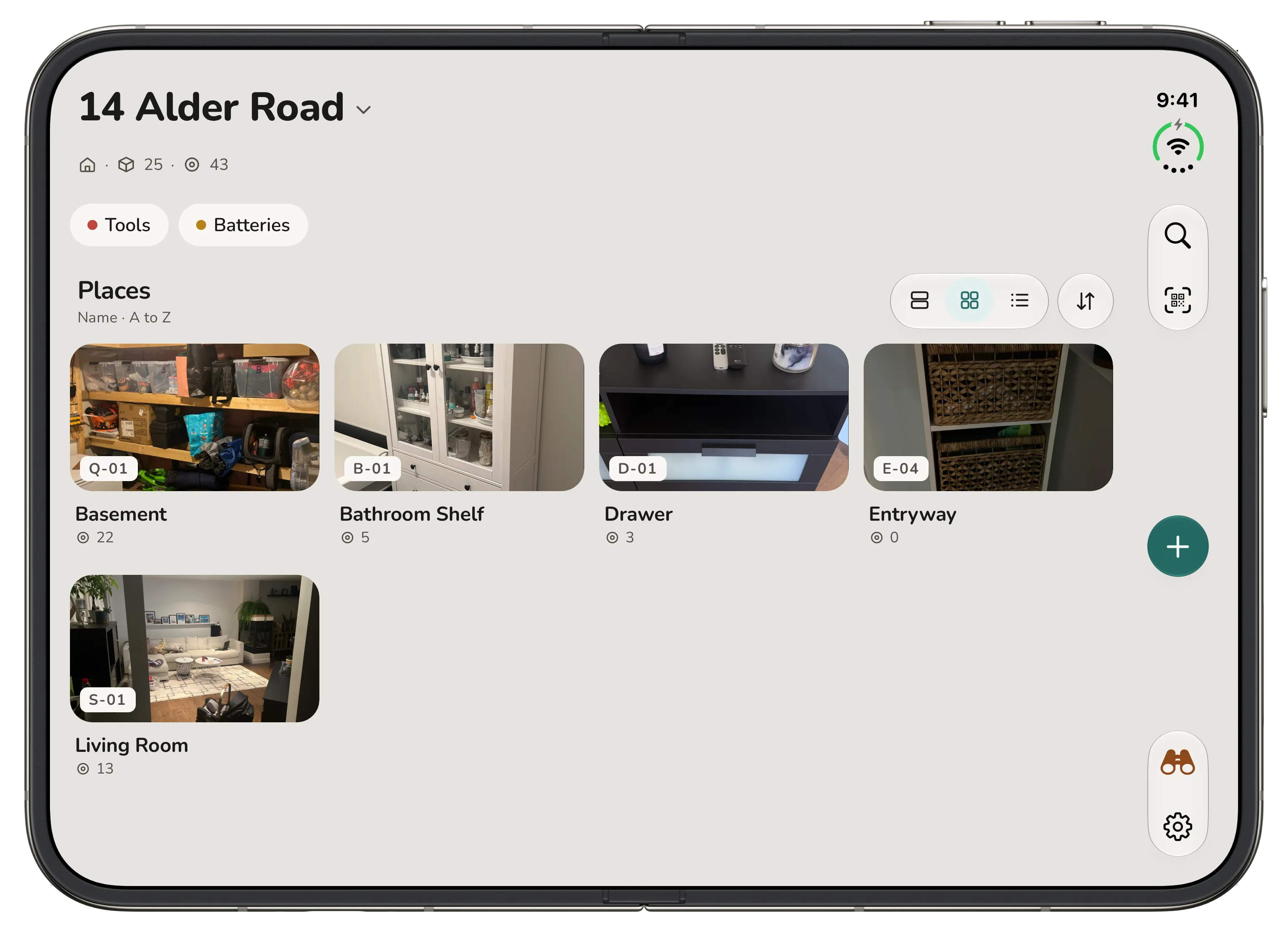
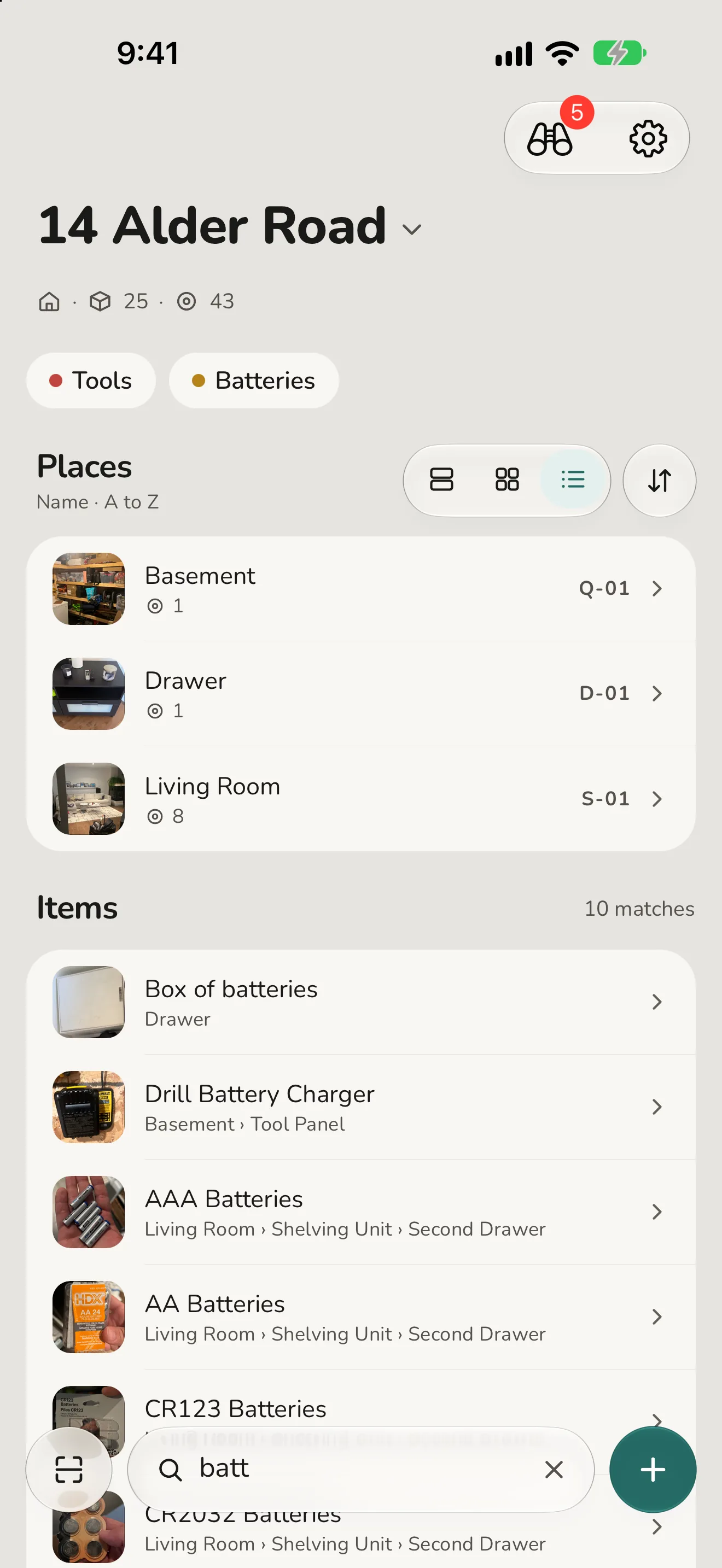
Your home at a glance. Every room as a photo, every place with a code you can write on it.
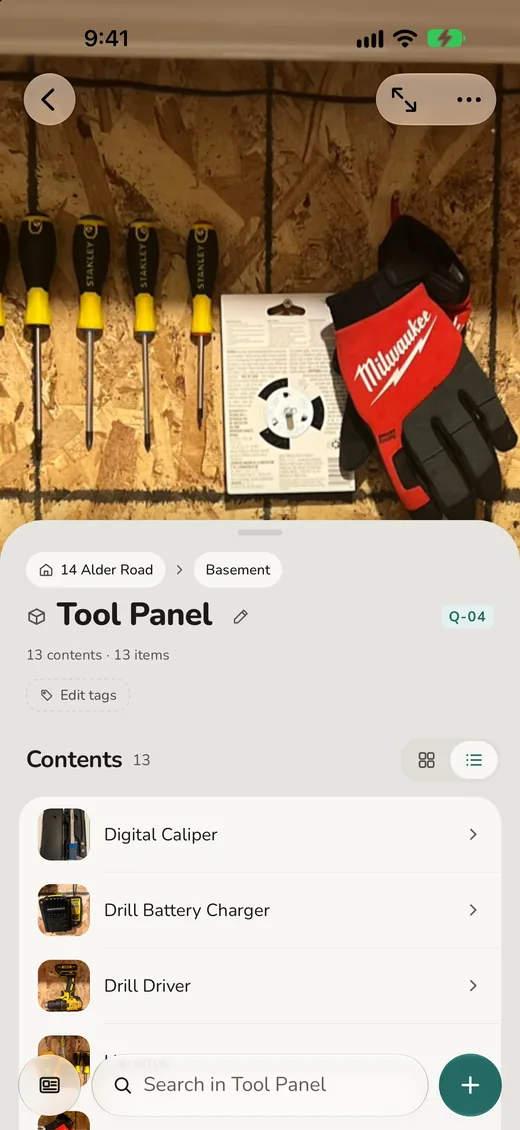
Photograph a shelf, then name what is on it. Every place shows what it holds.
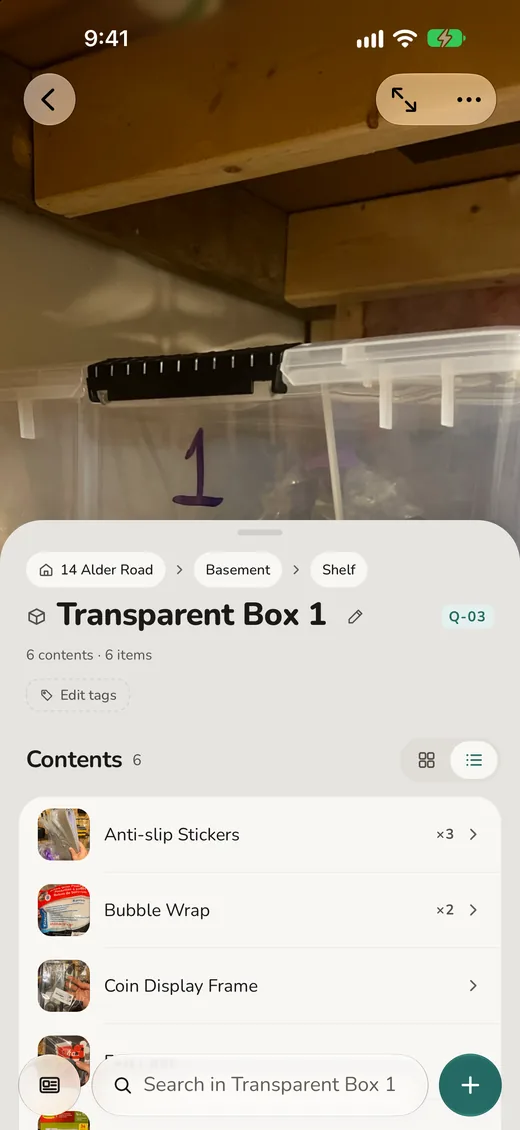
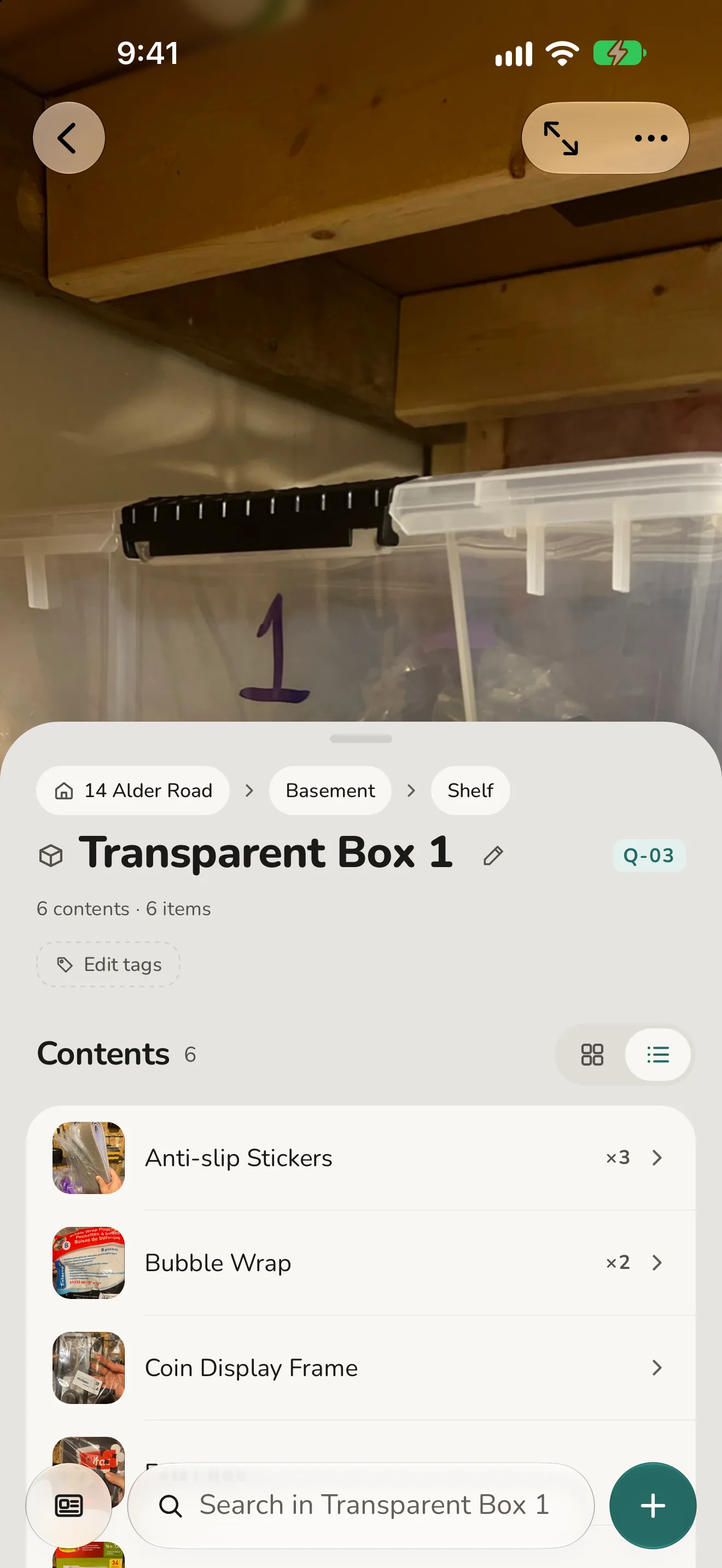
A box in a crate on a shelf, as deep as reality goes. The breadcrumb keeps the whole address.
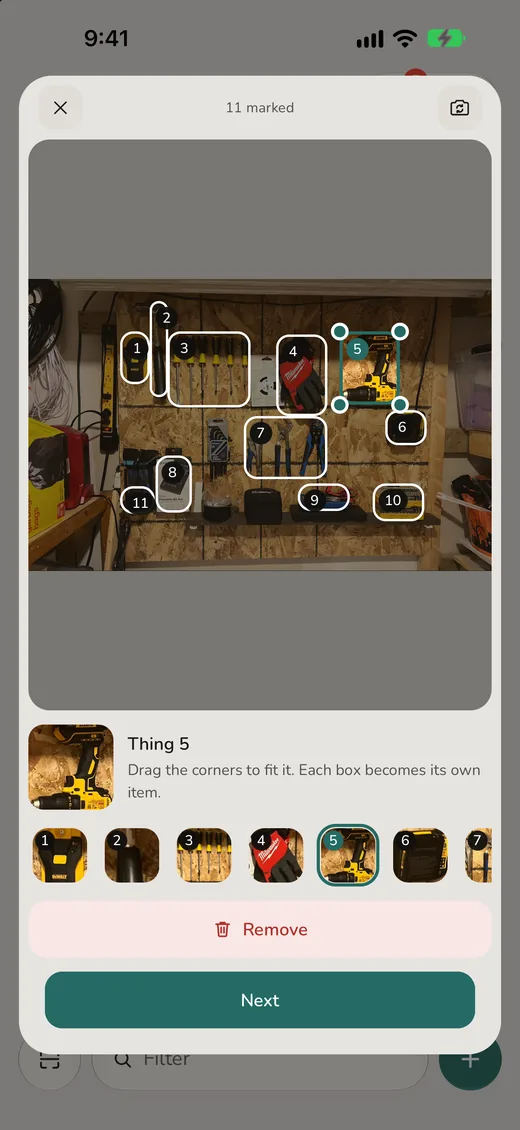
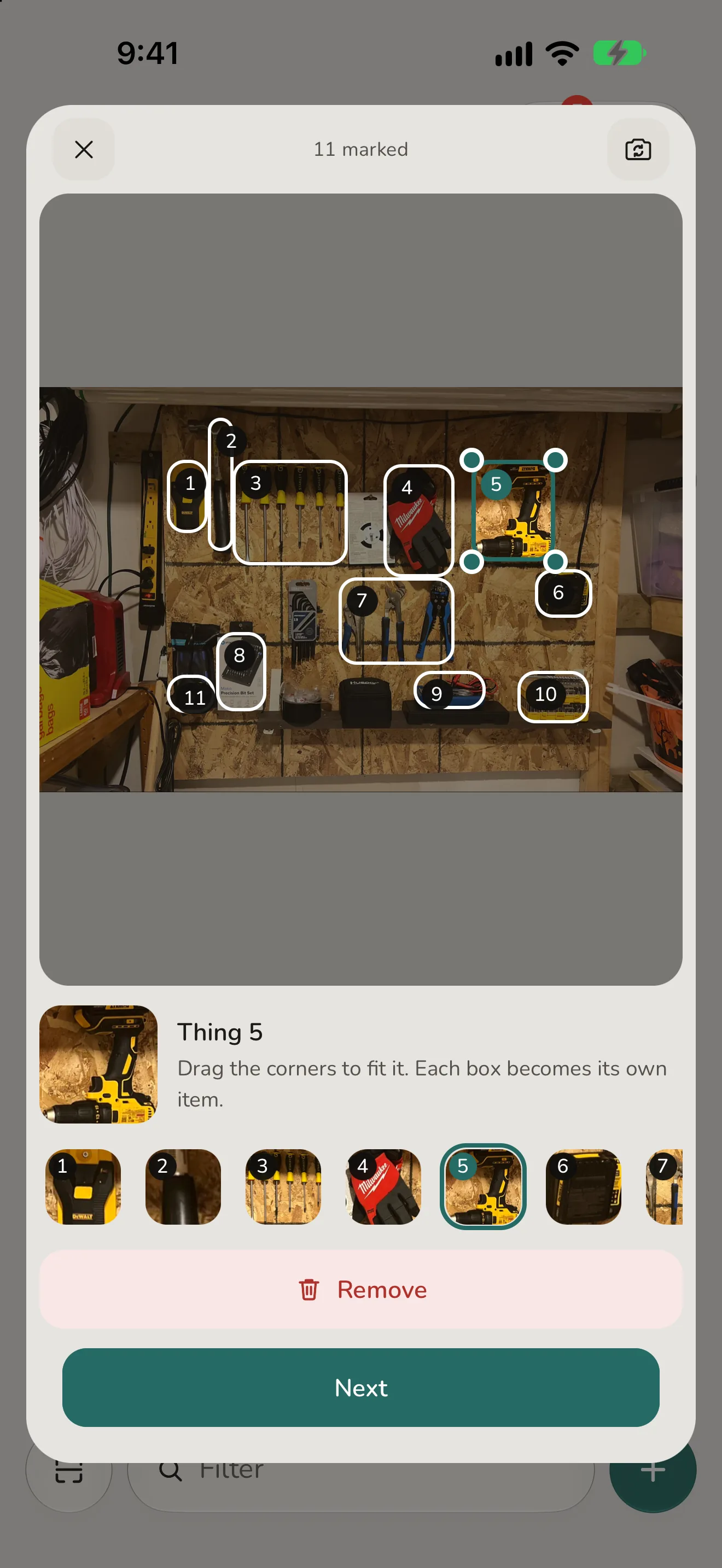
A shelf in one photo. Tap each thing on it and every box becomes its own entry with its own crop. Name each one yourself, or tap the sparkle for a suggestion worked out on your phone.
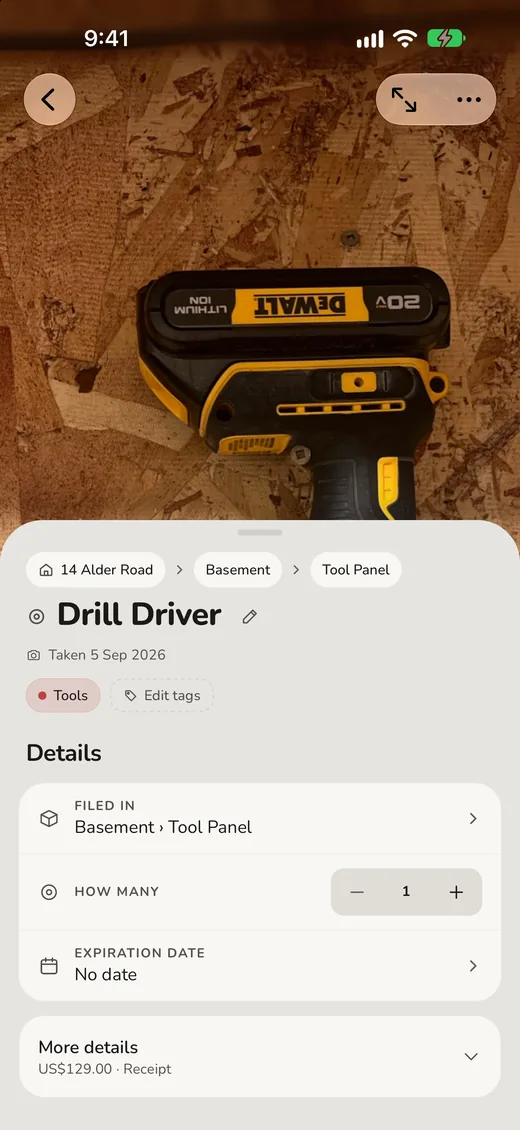
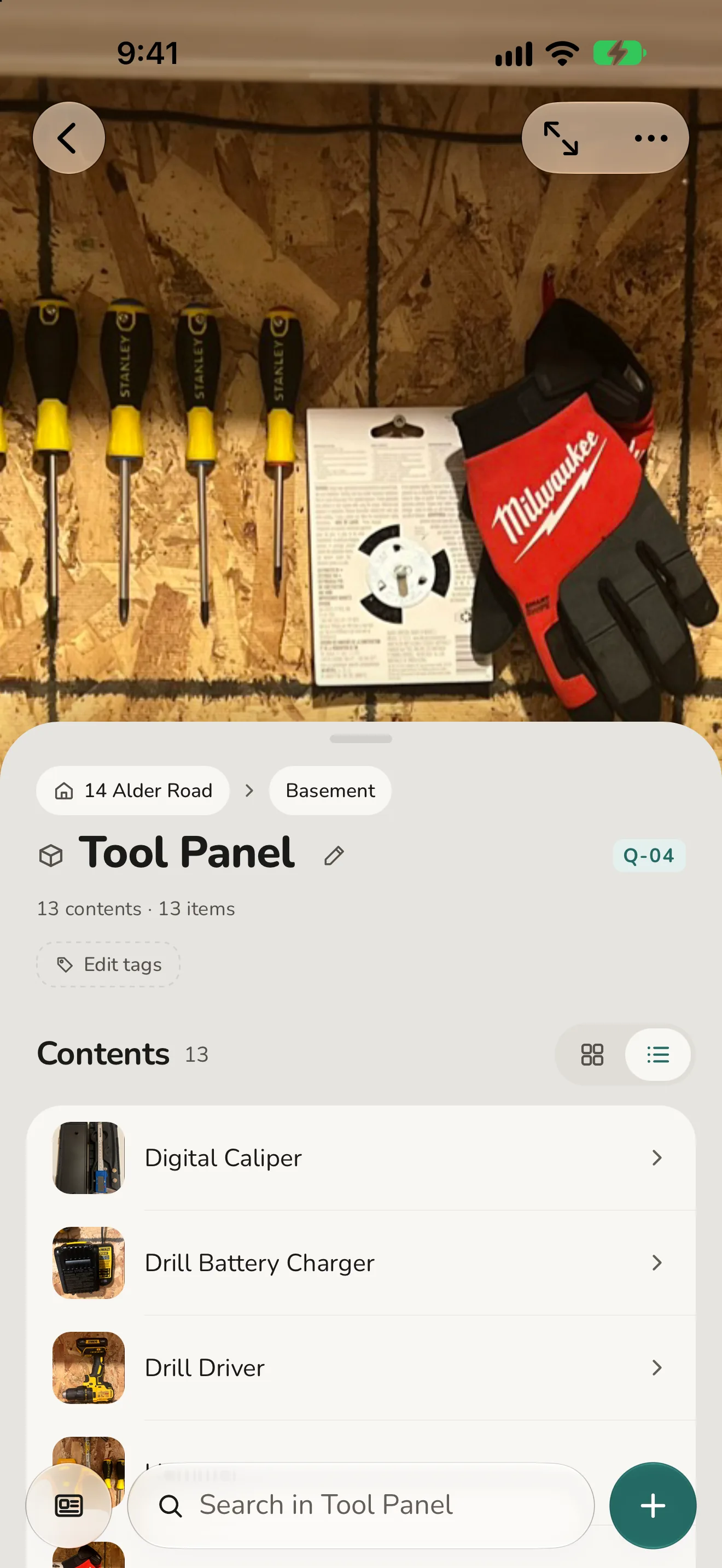
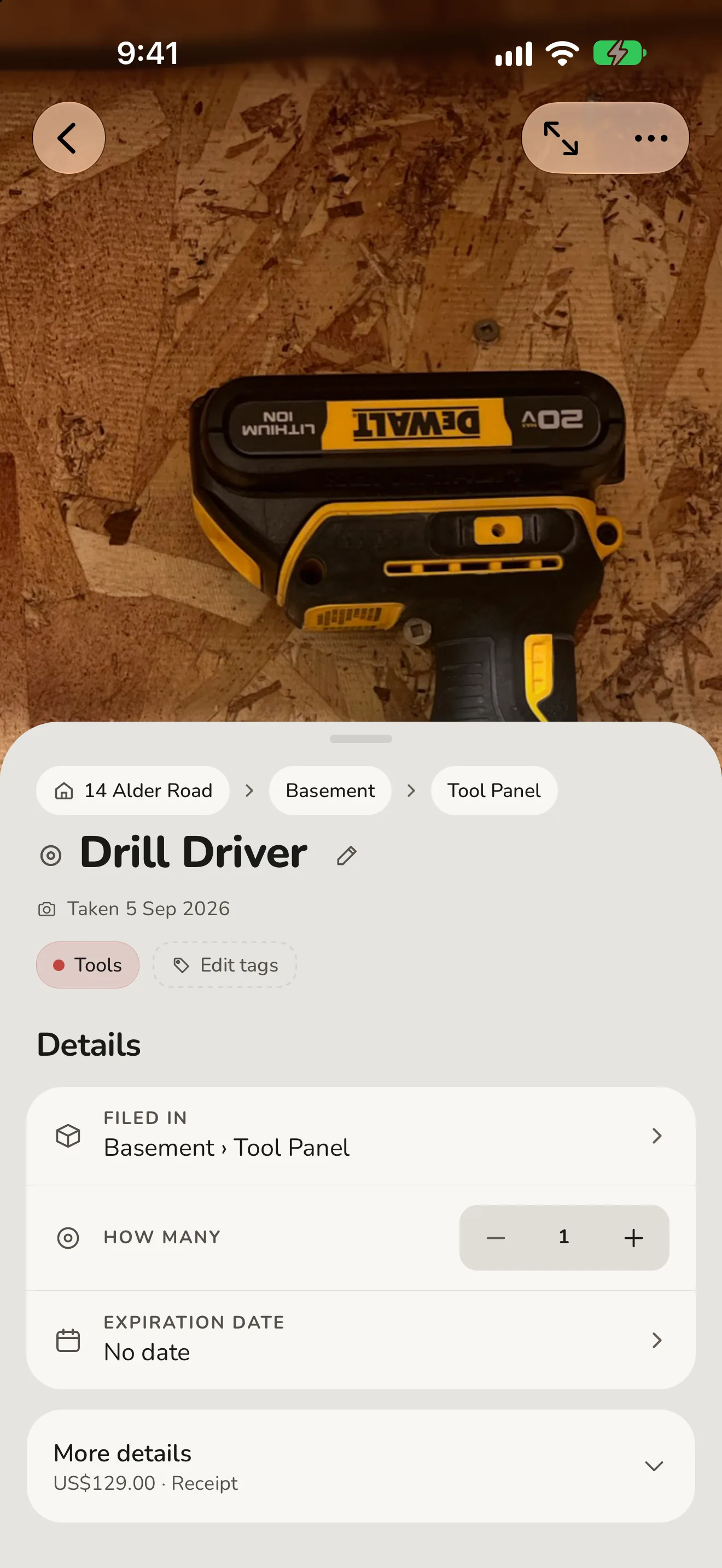
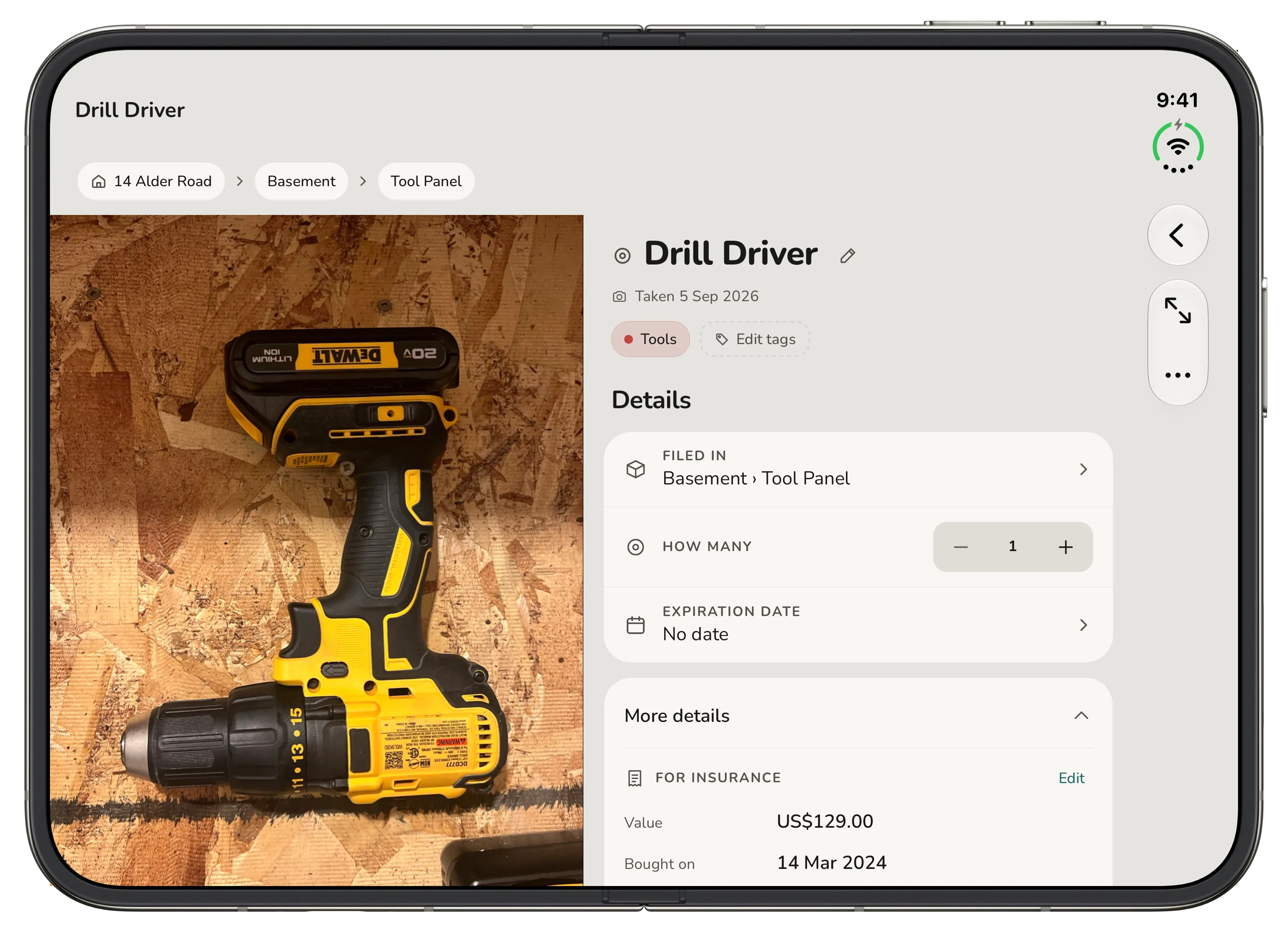
Every thing has its own page: a photo, a count, tags, a place, and the value, receipt and serial a claim asks for.
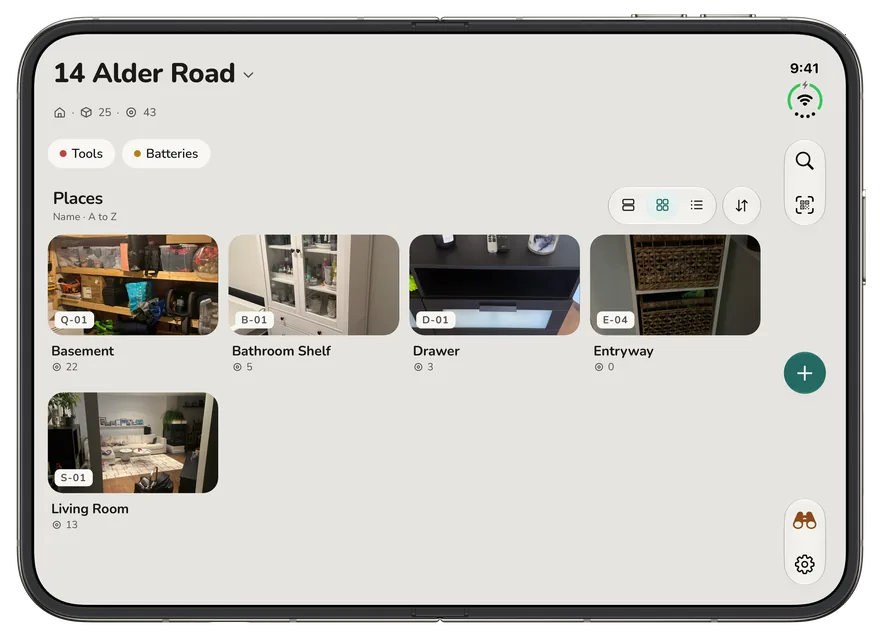
On iPhone Duo, the bars stand up the side and the places spread across the whole display.
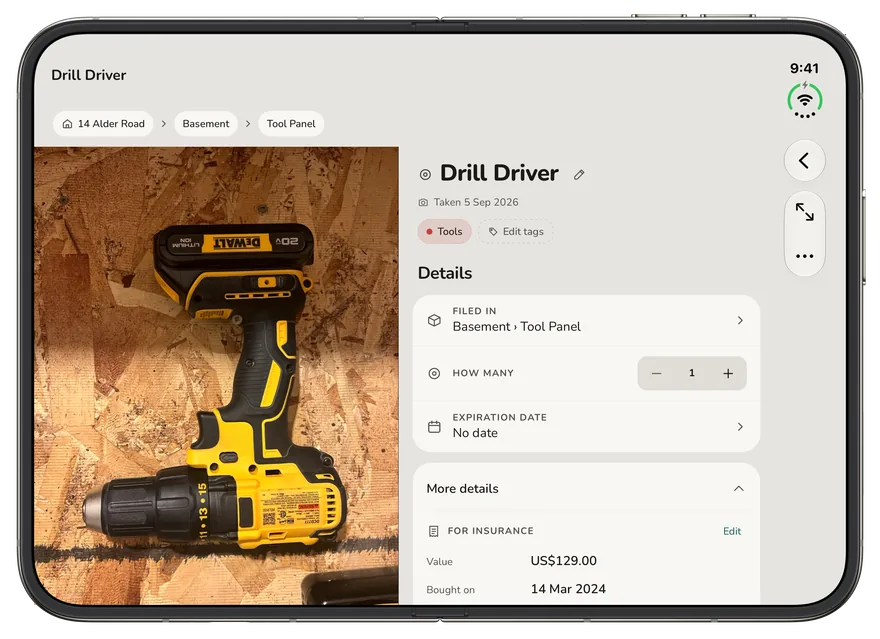
Open the Duo and a thing's photograph sits beside its page.
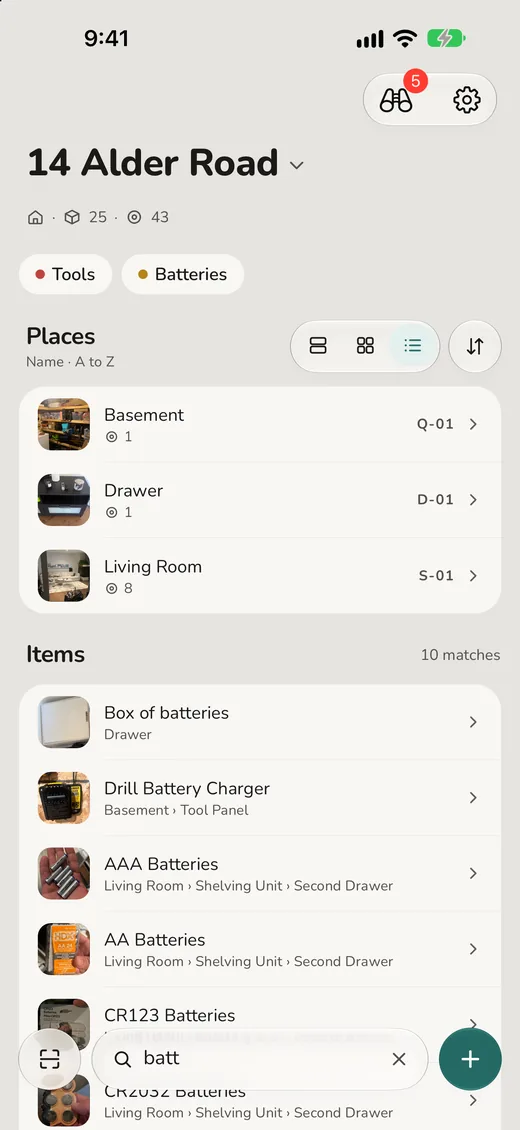
Type four letters and you get where it is, not just that it exists.
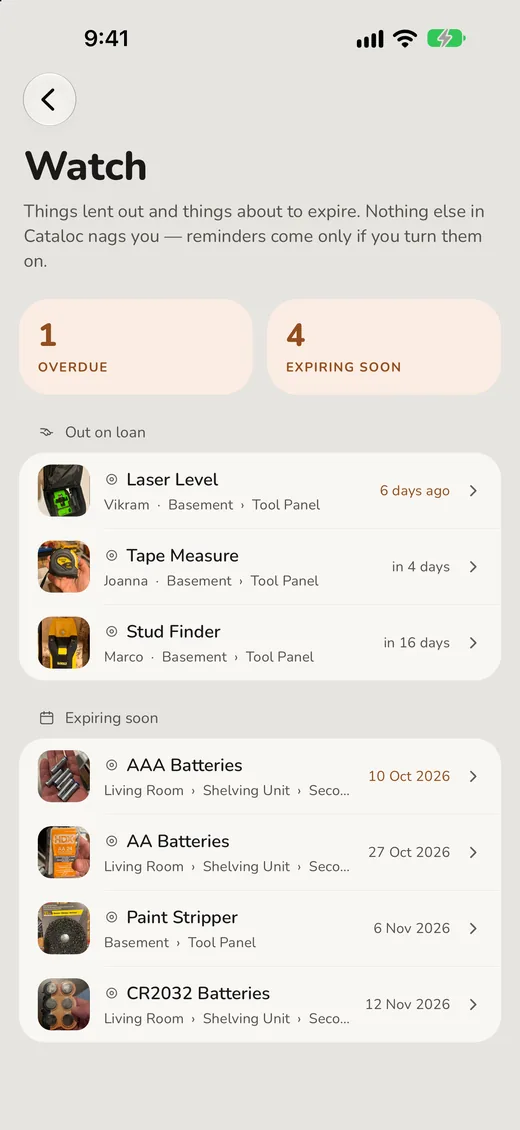
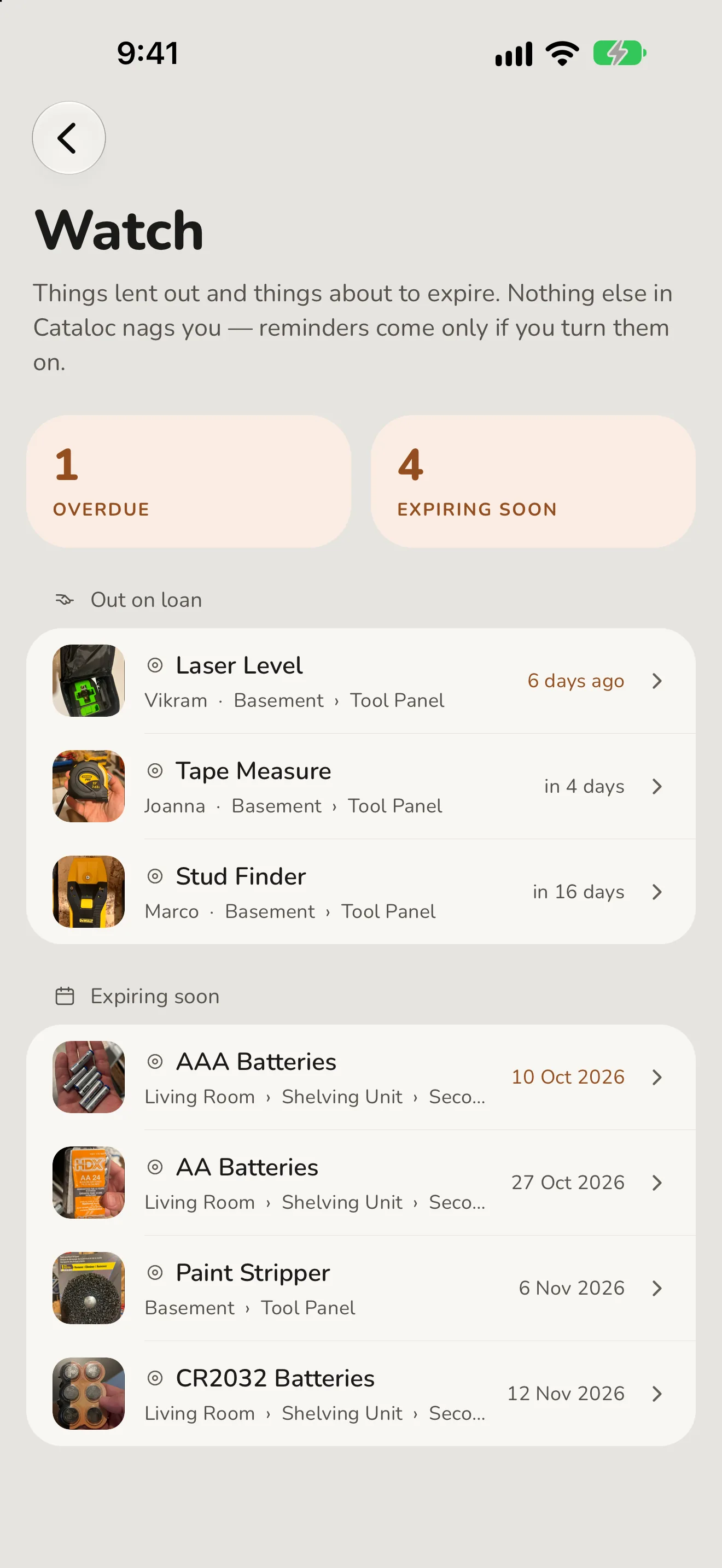
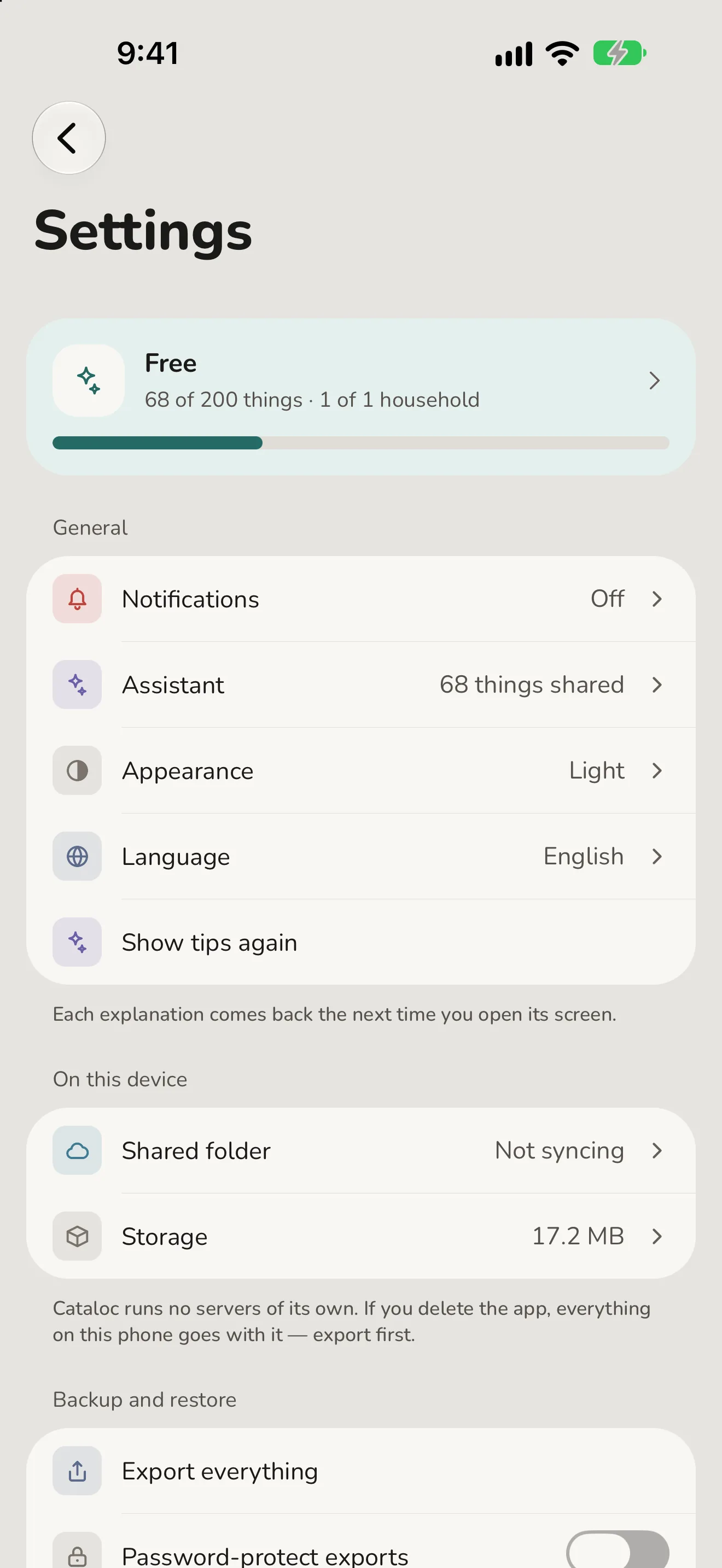
One screen, a tap from Home, for what's lent out and what's about to go off. Reminders, if you want them, are in Settings.
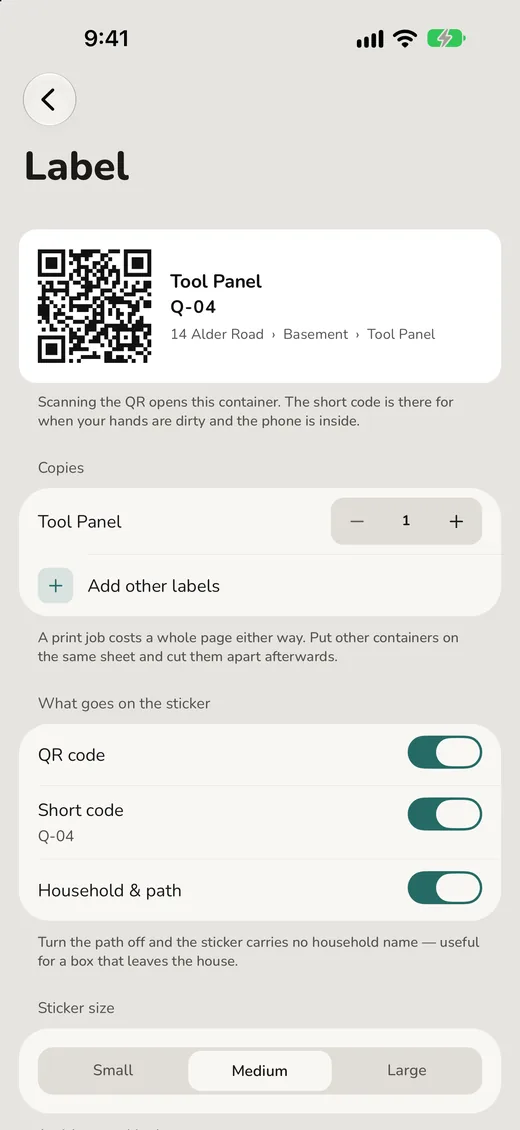
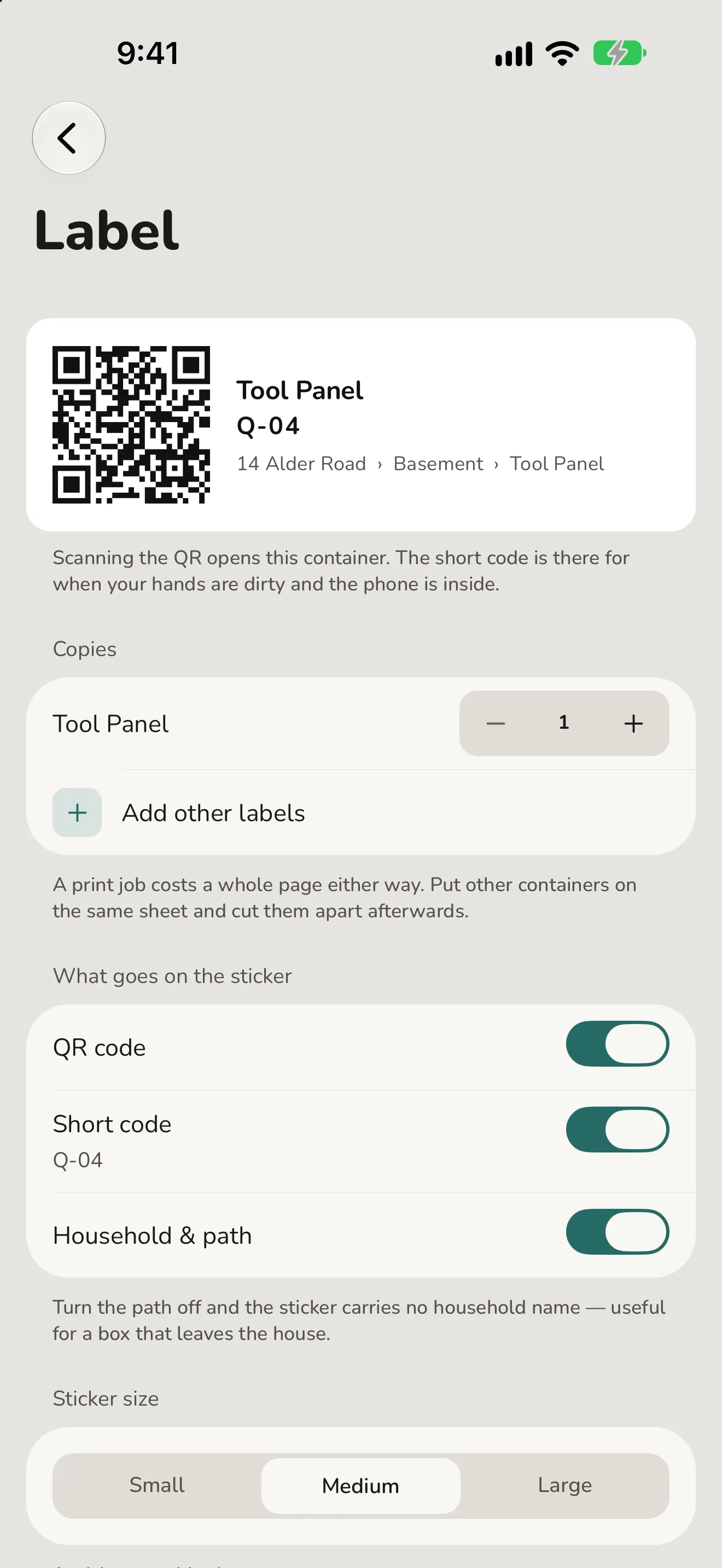
Print a sticker. Scan it to open the box, or type the code if the camera can't.
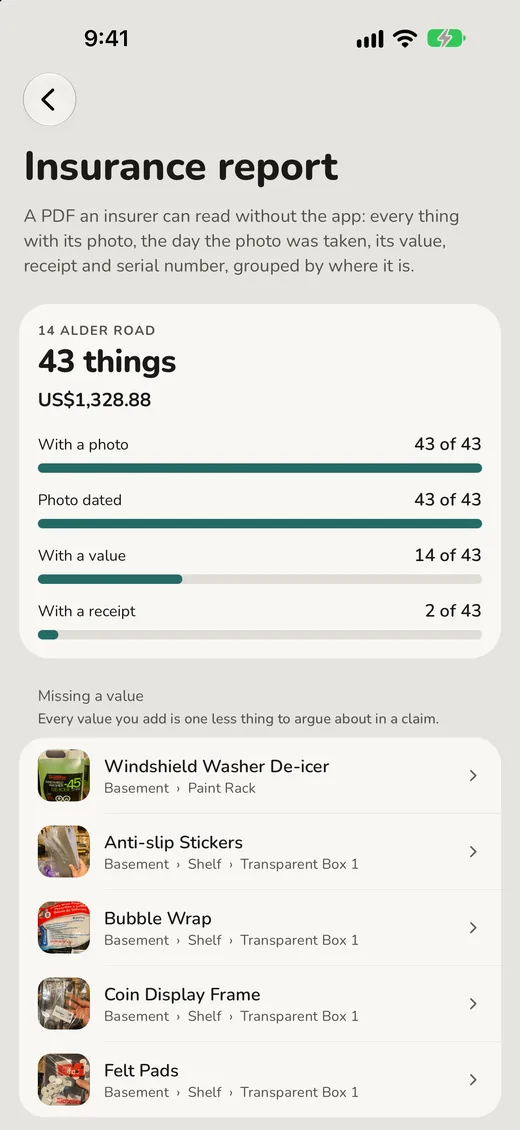
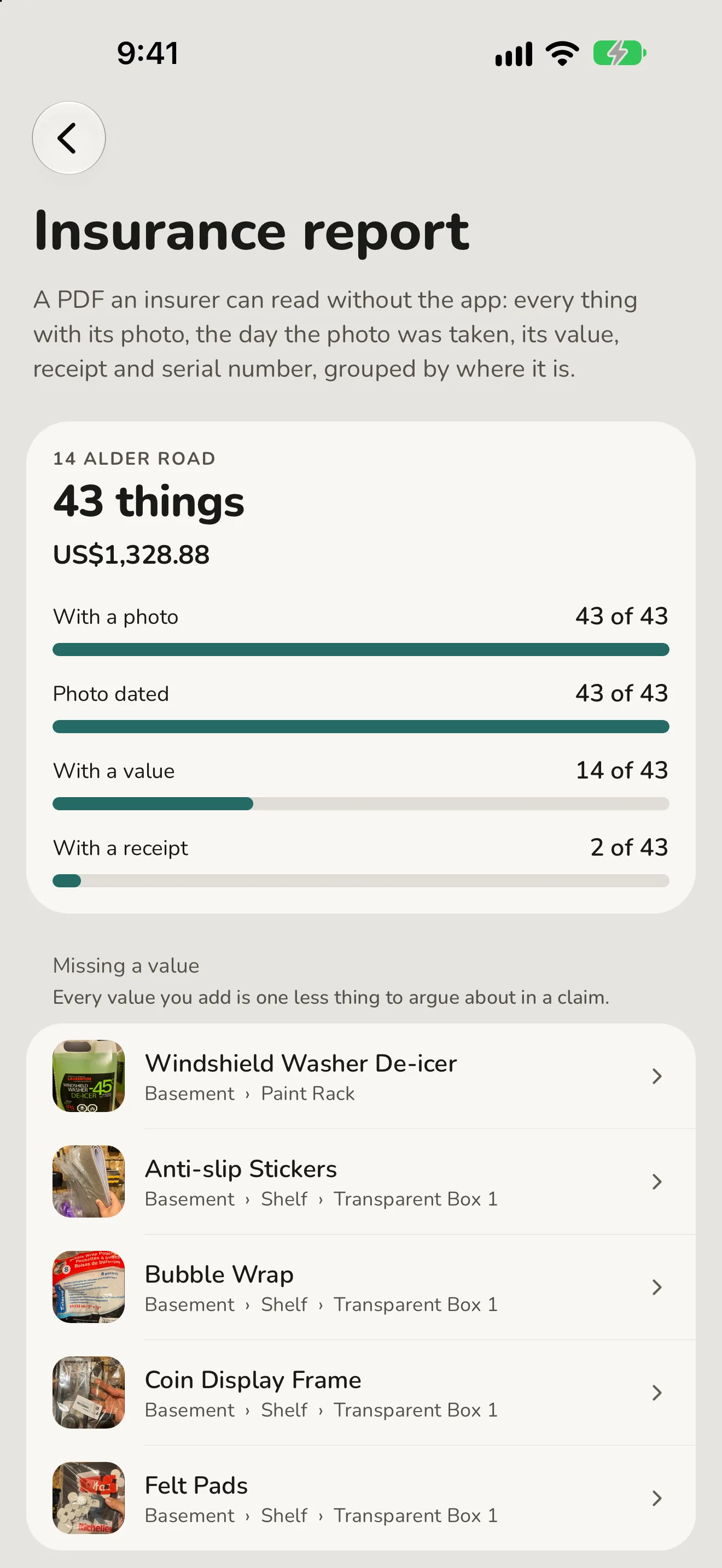
See how ready you are before you need to be: what's photographed, dated and priced, and what isn't yet.
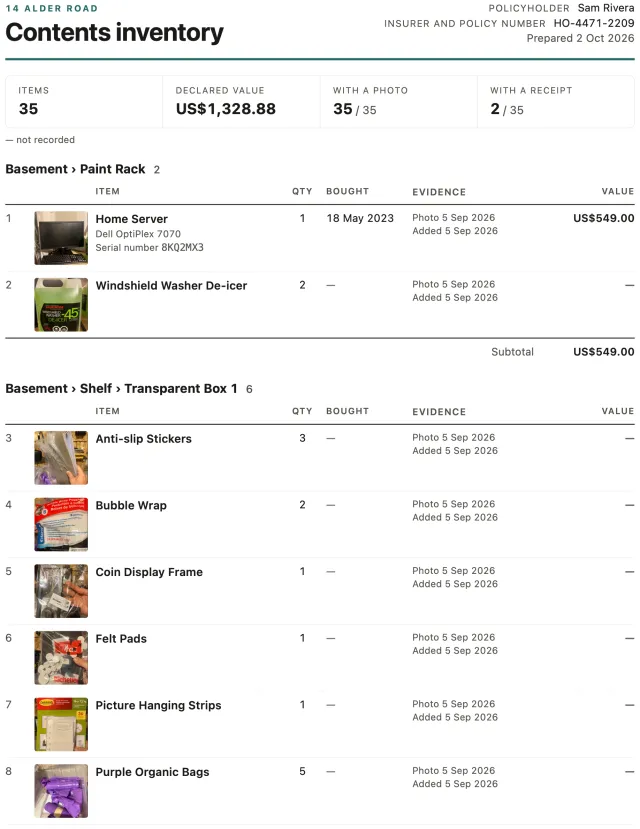
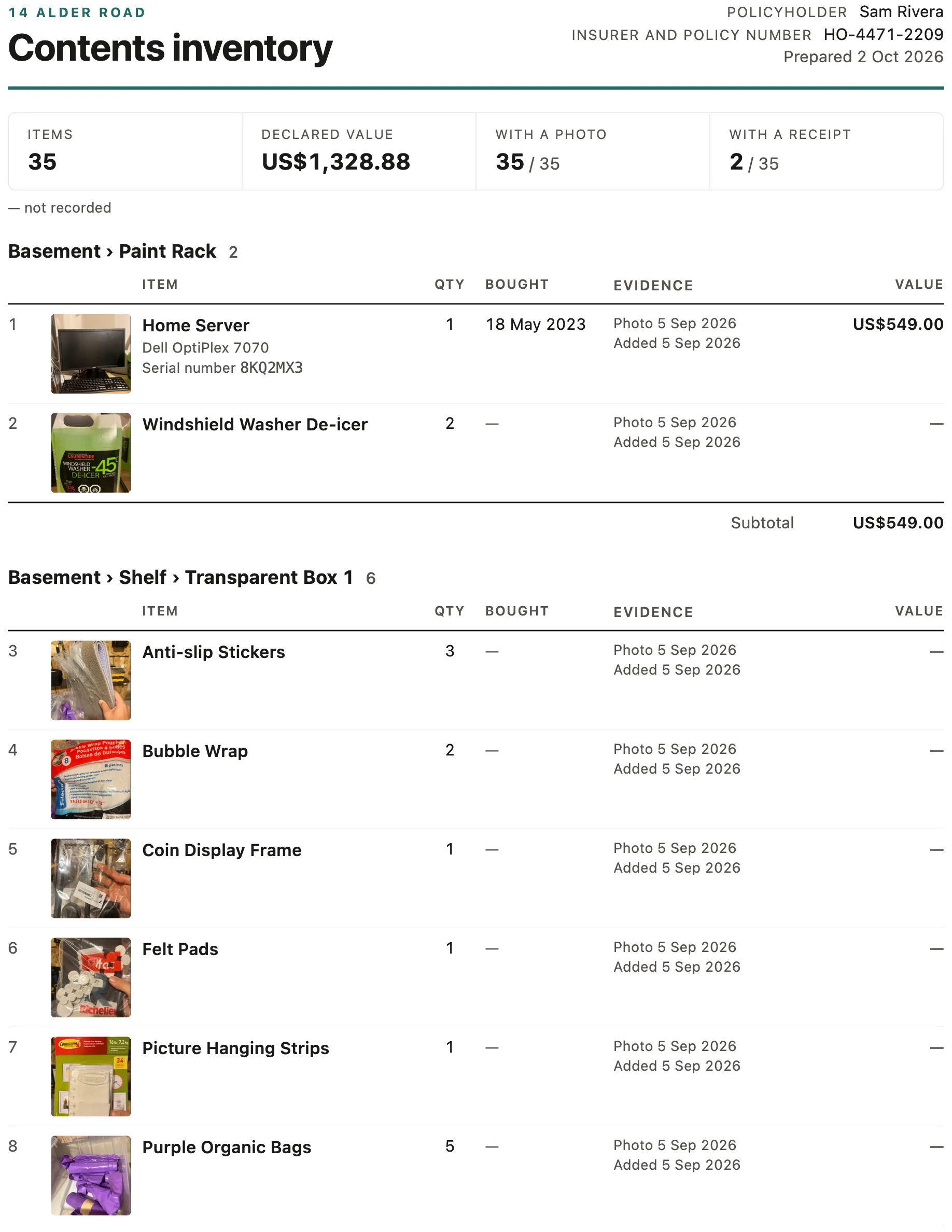
One PDF an insurer can read without the app. Print it, email it, keep it with your policy.
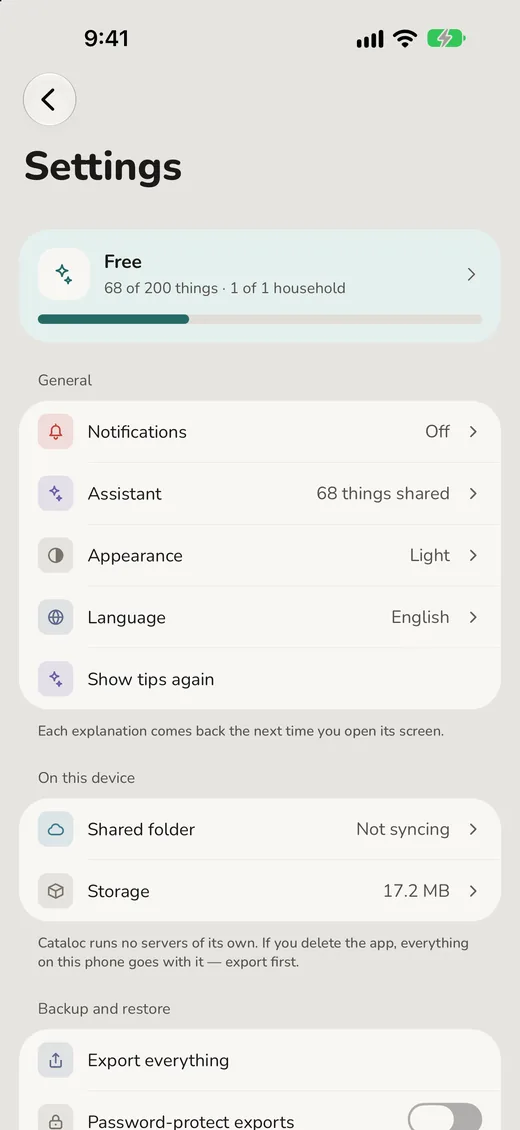
No account. Everything is on this phone, and Settings shows where.
What people use it for
Moving house
Photograph the boxes as you pack them. Months later, search finds anything in seconds — including the eleven boxes you never unpacked.
The garage you can't see the back of
A loft, a basement, a rented storage unit. Nest containers to any depth, and the breadcrumb tells you the full address of everything.
The fourth tin of chickpeas
A pantry you can actually read, and expiration dates on one screen instead of a surprise at the back of a cupboard — with a reminder a week before, if you want one.
Things you lend out
Mark what went where and to whom. Watch, a tap from Home, shows what is out and what is overdue — and, if you switch reminders on, a note the day before it's due back. Nothing else in the app nags you.
Helping a parent downsize
Each home is its own catalogue, with its own search and history. Nothing bleeds between them.
Knowing what you own
For insurance, before you need to know. Value, purchase date, brand, model, serial number and a receipt photo on every thing, then one PDF an insurer can read without the app, grouped by room with subtotals.
What it does
Nesting without a limit
Containers inside containers, to any depth. The breadcrumb scrolls rather than truncating, so the whole address stays readable and every step is tappable.
A photo for everything
Every box and every thing leads with its own picture, with pinch-to-zoom. Recognising a box by sight beats reading its name.
Home, three ways
Large photo cards one to a row, a grid of places, or a plain list — Home remembers the one you chose. The field at its foot filters the whole household in place as you type.
iPad and iPhone Duo
On iPad, Home, Watch and Settings are tabs with a sidebar beside them, and a thing's photograph sits next to its details. On iPhone Duo, folded or open, every screen is laid out for the window it is in — and where the system stands its bars up the side, Search, Scan, Add, Watch and Settings stand with them.
A shelf at a time
Photograph a whole shelf, tap or drag a box around each thing and name them. Each box can be an item or a container, so one picture can create the bins and what sits beside them. Every one is saved with its own crop, so five new things look like five things. On a phone with its own AI model — an iPhone with Apple Intelligence, or an Android with Gemini Nano — a sparkle beside each name suggests one from its crop on the phone, without sending it to an AI service. Free.
Your phone's own search
Switch it on and Spotlight finds the drill without opening the app; ask Siri or your Android assistant where it is and you are told the shelf. Free and off until you ask for it; the search index stays on your phone.
Printable labels
QR code, short code and name on one sticker; scanning the QR opens that container. Each element switches off, so a box that leaves the house need not carry your address.
Share a list
Send a shelf or a tag to a friend as a single web page, photos and all. It opens in any browser — no app, no account — and each thing can carry an “ask to borrow” button.
Sync, your way
Pair two phones directly over your own Wi-Fi with a QR and a single-use code, or point every phone at a shared folder of your own. No account, and no Cataloc server, either way.
Insurance report
A coverage check shows what is photographed, dated, priced and backed by a receipt, and lists what isn't yet. Then one PDF — every thing with its photo, value and serial, grouped by room with subtotals — goes to the print or share sheet. Built on the phone; you choose where to send it.
Reminders
The day before a loan is due back, or a week before something expires — each lead adjustable, once a day at most. Off until you switch it on, scheduled on this phone only, and whoever has your things never hears from Cataloc.
Item or container, and back
Turned out the toolbox holds things? Make it a container. Its photo, tags, history and label all stay. A container that is empty can become an item again.
One tap from the home screen
Add the widget and search is a tap away, without hunting for the app first.
Locked exports
Choose a password and every export is encrypted on your phone before it is written, with the same encryption as the sync folder lock. Nobody can recover the password, so keep it.
Room to breathe
Settings → Storage shows what photos and history take up, re-encodes pictures smaller, clears photos nothing uses and trims old history — telling you exactly what it will free first.
Ten languages
English, Português, Español, Français, Italiano, Русский, العربية, 日本語, 한국어 and 简体中文. Your own item names are never translated.
Privacy, meant literally
No account. No sign-up. No Cataloc server. No analytics, no advertising, no third-party SDK reporting on you. Your catalogue and your photos are files in the app's own storage. Export all of it, or erase all of it, in one tap — and exports can be password-protected.
Anything that leaves your phone leaves because you set it up: pairing with another phone on your Wi-Fi, or a shared folder you choose and control. Nothing of yours passes through the developer, ever.
Free, and PRO
One household and 200 containers and items are free, forever. So are marking a whole shelf, the insurance report, reminders and your phone's own search. PRO lifts both ceilings, and every feature added later is included.